Banner Message
Banner messages can be displayed at the top of every document informing users that they are currently viewing either old or the development version of the project’s documentation, with the exception of the --banner-main-ref. This feature is inspired by banner on the Jinja2 documentation.
The banner feature is disabled by default. It can be enabled with the --show-banner setting (see the settings for more configuration options).
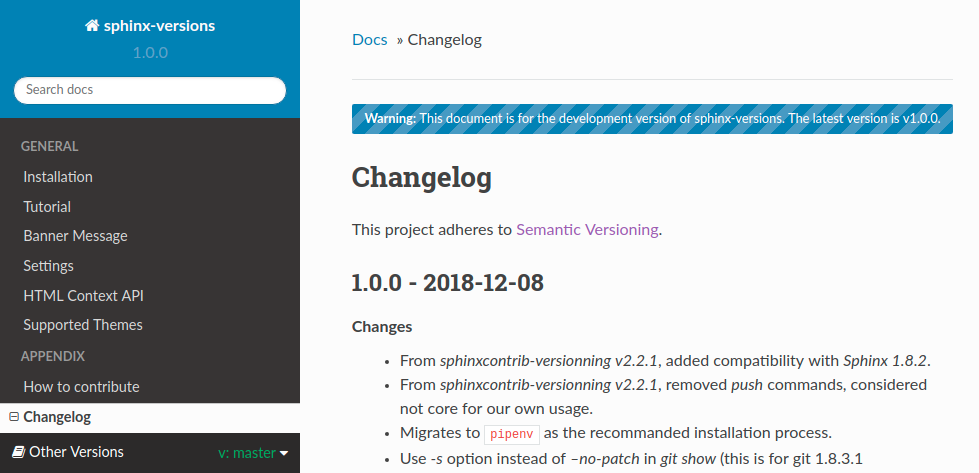
From branch to main-ref
The message displayed when users are viewing docs from a branch and the --banner-main-ref is a tag. The entire banner is a link that sends users to the latest version of the current page if it exists there.
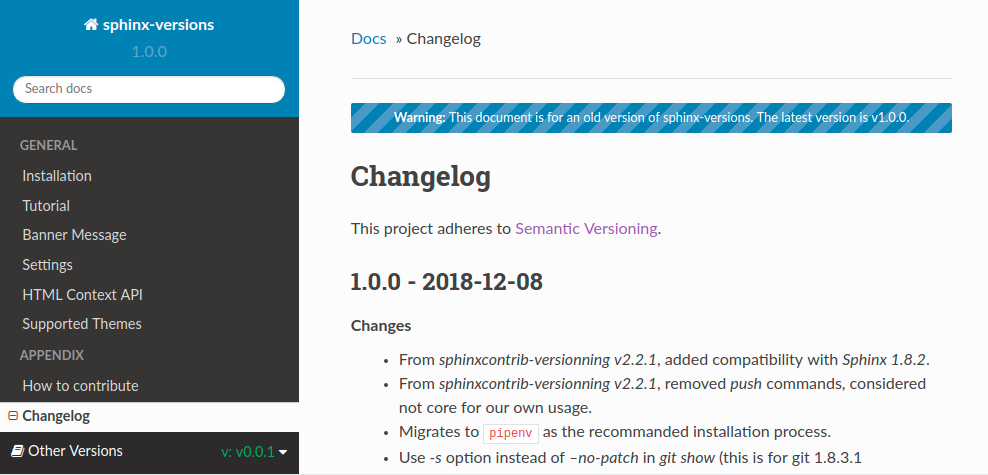
From old tag to main-ref
The message displayed when users are viewing docs from a tag and the --banner-main-ref is a tag. Like the message above this one links users to the latest version of the current page.
From a page not existing in the main-ref
An example of a banner message from a page that does not exist in the --banner-main-ref version. Since there is no page to link to this is just text informing the user that they’re viewing the development version of the docs.
